
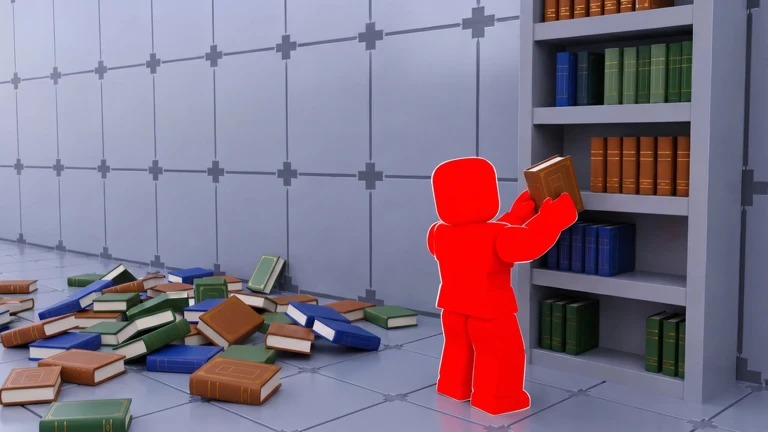
Clean The Library Script
A new script is released of Clean The Library Script, this is a A Lua-based code. you can unlock Auto Clean Trash, Auto Collect Books, Fast Cleaning Mode, Auto Complete Tasks, Instant Trash Pickup, Auto Collect, Auto Tool Equip, Cleaning Speed, Auto Area Detection, No Cooldown Actions, Auto Sell Trash, Anti-AFK, Auto Upgrade, and many more functions.
Download & Copy All Clean The Library Script (2026)
Clean The library Script
-- Simple Book Organizer with Single Toggle
local Players = game:GetService("Players")
local ReplicatedStorage = game:GetService("ReplicatedStorage")
local Workspace = game:GetService("Workspace")
local CollectionService = game:GetService("CollectionService")
local UserInputService = game:GetService("UserInputService")-- Settings
local Settings = {
Enabled = false,
FastMode = false -- Optional: can add as sub-toggle
}-- GUI Creation
local function CreateUI()
local screenGui = Instance.new("ScreenGui")
screenGui.Name = "BookOrganizerGUI"
screenGui.Parent = Players.LocalPlayer:WaitForChild("PlayerGui")
-- Main Frame
local mainFrame = Instance.new("Frame")
mainFrame.Size = UDim2.new(0, 300, 0, 120)
mainFrame.Position = UDim2.new(0.5, -150, 0.5, -60)
mainFrame.BackgroundColor3 = Color3.fromRGB(25, 25, 35)
mainFrame.BackgroundTransparency = 0.05
mainFrame.BorderSizePixel = 0
mainFrame.ClipsDescendants = true
mainFrame.Parent = screenGui
-- Title
local title = Instance.new("TextLabel")
title.Size = UDim2.new(1, 0, 0, 35)
title.Position = UDim2.new(0, 0, 0, 0)
title.BackgroundColor3 = Color3.fromRGB(50, 50, 70)
title.BackgroundTransparency = 0.3
title.Text = "📚 Book Organizer"
title.TextColor3 = Color3.fromRGB(255, 255, 255)
title.TextSize = 16
title.Font = Enum.Font.GothamBold
title.BorderSizePixel = 0
title.Parent = mainFrame
-- Close Button
local closeBtn = Instance.new("TextButton")
closeBtn.Size = UDim2.new(0, 25, 0, 25)
closeBtn.Position = UDim2.new(1, -30, 0, 5)
closeBtn.BackgroundColor3 = Color3.fromRGB(200, 50, 50)
closeBtn.BackgroundTransparency = 0.5
closeBtn.Text = "✕"
closeBtn.TextColor3 = Color3.fromRGB(255, 255, 255)
closeBtn.TextSize = 14
closeBtn.Font = Enum.Font.GothamBold
closeBtn.BorderSizePixel = 0
closeBtn.Parent = mainFrame
-- Status Label
local statusLabel = Instance.new("TextLabel")
statusLabel.Size = UDim2.new(1, -20, 0, 25)
statusLabel.Position = UDim2.new(0, 10, 0, 40)
statusLabel.BackgroundTransparency = 1
statusLabel.Text = "🔴 Disabled"
statusLabel.TextColor3 = Color3.fromRGB(255, 100, 100)
statusLabel.TextSize = 14
statusLabel.Font = Enum.Font.Gotham
statusLabel.TextXAlignment = Enum.TextXAlignment.Left
statusLabel.Parent = mainFrame
-- Toggle Button
local toggleBtn = Instance.new("TextButton")
toggleBtn.Size = UDim2.new(0, 80, 0, 35)
toggleBtn.Position = UDim2.new(1, -90, 0, 70)
toggleBtn.BackgroundColor3 = Color3.fromRGB(200, 60, 60)
toggleBtn.BackgroundTransparency = 0.2
toggleBtn.Text = "START"
toggleBtn.TextColor3 = Color3.fromRGB(255, 255, 255)
toggleBtn.TextSize = 14
toggleBtn.Font = Enum.Font.GothamBold
toggleBtn.BorderSizePixel = 0
toggleBtn.Parent = mainFrame
-- Dragging
local dragging = false
local dragStart, startPos
mainFrame.InputBegan:Connect(function(input)
if input.UserInputType == Enum.UserInputType.MouseButton1 then
dragging = true
dragStart = input.Position
startPos = mainFrame.Position
end
end)
mainFrame.InputEnded:Connect(function(input)
if input.UserInputType == Enum.UserInputType.MouseButton1 then
dragging = false
end
end)
UserInputService.InputChanged:Connect(function(input)
if dragging and input.UserInputType == Enum.UserInputType.MouseMovement then
local delta = input.Position - dragStart
mainFrame.Position = UDim2.new(startPos.X.Scale, startPos.X.Offset + delta.X, startPos.Y.Scale, startPos.Y.Offset + delta.Y)
end
end)
closeBtn.MouseButton1Click:Connect(function()
Settings.Enabled = false
screenGui:Destroy()
end)
return screenGui, toggleBtn, statusLabel
end-- Main Script Logic
local gui, toggleBtn, statusLabel = CreateUI()
local isRunning = false
local currentCoroutine = nillocal Loader = require(ReplicatedStorage.Packages.Loader)
local ReplicaController = require(Loader.Shared.Utility.ReplicaController)
local BooksData = require(Loader.Shared.Data.Books)local LibraryReplica = nil
for _, r in pairs(ReplicaController._replicas) do
if r.Class == "Library" then LibraryReplica = r break end
end
if not LibraryReplica then
ReplicaController.ReplicaOfClassCreated("Library", function(replica) LibraryReplica = replica end)
while not LibraryReplica do task.wait() end
endlocal Library = Workspace.Library
local BooksFolder = Library.Books
local player = Players.LocalPlayer-- Setup Camera
player.CameraMode = Enum.CameraMode.Classic
player.CameraMinZoomDistance = 20
task.spawn(function() task.wait(0.1) player.CameraMinZoomDistance = 0.5 end)local shelfModels = {}
for _, shelfModel in ipairs(CollectionService:GetTagged("Shelf")) do
shelfModels[shelfModel.Name] = shelfModel
endlocal function getShelfAssignedSeries(shelfId)
local shelfData = LibraryReplica.Data.Shelves[shelfId]
if not shelfData then return nil end
for _, placedBook in pairs(shelfData.Books) do
local bookName = typeof(placedBook) == "Instance" and placedBook.Name or placedBook
local seriesName = bookName:match("^(.-)_(.+)$")
if seriesName then return seriesName end
end
endlocal function findShelfForSeries(seriesName, genreName, volumeCount)
for shelfId, shelfData in pairs(LibraryReplica.Data.Shelves) do
if not shelfData.Completed and shelfData.Category == genreName then
local shelfModel = shelfModels[shelfId]
if shelfModel and shelfModel:GetAttribute("Width") == volumeCount then
if getShelfAssignedSeries(shelfId) == seriesName then return shelfModel end
end
end
end
for shelfId, shelfData in pairs(LibraryReplica.Data.Shelves) do
if not shelfData.Completed and shelfData.Category == genreName then
local shelfModel = shelfModels[shelfId]
if shelfModel and shelfModel:GetAttribute("Width") == volumeCount then
if not getShelfAssignedSeries(shelfId) and next(shelfData.Books) == nil then return shelfModel end
end
end
end
endlocal function teleportTo(obj)
local char = player.Character
local root = char and char:FindFirstChild("HumanoidRootPart")
local part = obj:IsA("Model") and (obj.PrimaryPart or obj:FindFirstChildOfClass("BasePart")) or obj
if root and part then
root.CFrame = CFrame.new(part.Position + Vector3.new(0, 2, 0))
task.wait(0.05)
end
endlocal function organizeBooks()
for _, book in ipairs(BooksFolder:GetChildren()) do
if not isRunning then break end
task.wait(0.02)
local seriesName, volumeStr = book.Name:match("^(.-)_(.+)$")
local volumeNum = tonumber(volumeStr)
if seriesName and volumeNum then
local genreName, bookInfo = BooksData.GetCategory(seriesName)
if genreName and bookInfo then
local shelfModel = findShelfForSeries(seriesName, genreName, bookInfo.VolumeCount)
if shelfModel then
local shelfData = LibraryReplica.Data.Shelves[shelfModel.Name]
if not (shelfData and shelfData.Books[tostring(volumeNum)]) then
teleportTo(book)
LibraryReplica:FireServer("Grab", book)
task.wait(0.1)
teleportTo(shelfModel)
LibraryReplica:FireServer("Place", shelfModel, volumeNum - 1)
task.wait(0.4)
end
end
end
end
end
end-- Toggle functionality
local function toggleScript()
isRunning = not isRunning
if isRunning then
toggleBtn.Text = "STOP"
toggleBtn.BackgroundColor3 = Color3.fromRGB(60, 200, 60)
statusLabel.Text = "🟢 Running..."
statusLabel.TextColor3 = Color3.fromRGB(100, 255, 100)
Settings.Enabled = true
if currentCoroutine then
task.cancel(currentCoroutine)
end
currentCoroutine = task.spawn(function()
while isRunning do
local success, err = pcall(organizeBooks)
if not success then
warn("Error: " .. err)
statusLabel.Text = "❌ Error: " .. err
statusLabel.TextColor3 = Color3.fromRGB(255, 100, 100)
task.wait(2)
end
task.wait(5) -- Wait before next cycle
end
end)
else
toggleBtn.Text = "START"
toggleBtn.BackgroundColor3 = Color3.fromRGB(200, 60, 60)
statusLabel.Text = "🔴 Disabled"
statusLabel.TextColor3 = Color3.fromRGB(255, 100, 100)
Settings.Enabled = false
if currentCoroutine then
task.cancel(currentCoroutine)
currentCoroutine = nil
end
end
endtoggleBtn.MouseButton1Click:Connect(toggleScript)-- Cleanup
game:GetService("Players").LocalPlayer:WaitForChild("PlayerGui").ChildRemoved:Connect(function(child)
if child.Name == "BookOrganizerGUI" and isRunning then
isRunning = false
if currentCoroutine then
task.cancel(currentCoroutine)
end
end
end)print("✅ Book Organizer loaded! Click START to begin organizing.")
How to Use Clean The Library Script Script in Roblox
Running a script usually follows a simple process.
- First of all, open Roblox.
- Join the Clean The Library game.
- Launch a script executor tool.
- Copy the script from the official website of Clean The Library Script.
- Paste the Clean The Library Script into the executor.
- Click on the execute button.
Frequently Asked Questions (FAQs)
What is the Clean The Library Script?
Clean The Library Script is a custom Lua script made for the Roblox game Build A Soccer Squad! that helps automate gameplay features like building teams, training players, earning rewards, and improving squad performance faster.
It is for free?
Most versions are free to use, but not all hosts can be trusted. To keep your device safe, download only from reputable and well-known websites.
Do I have to go through a key system?
Typically, these scripts operate instantly without key verification, making them convenient but less secure.
What do I need to run the script in Roblox?
To run the script, you’ll need a Roblox executor such as Delta, Hydrogen, or Fluxus.
Can I run a Clean The Library Script without an executor?
No, scripts usually require a Roblox executor to run and won’t work in the normal Roblox client alone.
Is using it completely safe?
Not completely. Using scripts can violate game rules and may lead to account bans or security risks if the source is untrusted.
