
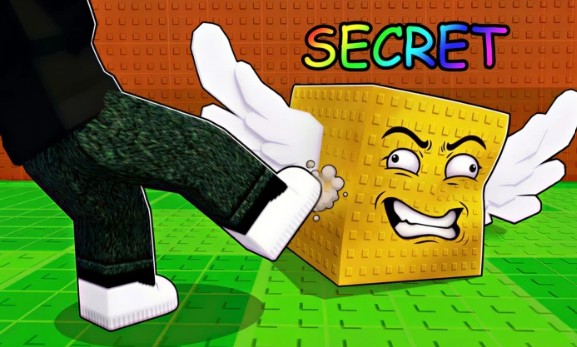
Kick a Lucky Block Script
Kick a Lucky Block is a fun physics-based Roblox game where you kick blocks, trigger events like tsunamis, and collect Brainrots to earn coins. To do well, you need good timing, smart upgrades, and regular reward collection.
This Kick a Lucky Block script helps automate the main gameplay and makes everything faster and easier. It is designed for players who want smoother progress without repeating the same tasks again and again.
The Perfect Kick and Claim feature helps you hit the best possible kick every time. You don’t need to worry about timing, as it automatically gives you maximum distance and better rewards. The Auto Collect Cash feature gathers your earnings instantly, so you never miss rewards.
With the Upgrade All feature, your stats improve quickly in one click, helping you kick farther and earn more coins. For long-term growth, the Auto Rebirth feature resets your progress automatically when ready, so you can keep increasing your overall power without manual effort.
If you want stronger kicks, faster leveling, and less grinding, this script for Kick a Lucky Block is a simple and effective tool to improve your gameplay experience.
Download & Copy All Kick a Lucky Block Scripts (2026)
Cyraa Hub
loadstring(game:HttpGet("https://raw.githubusercontent.com/LynX99-9/komtolmmek2/refs/heads/main/kick%20a%20lucky%20block"))()JN Hub
loadstring(game:HttpGet("https://raw.githubusercontent.com/JNHHGaming/Kick-a-Lucky-Block/refs/heads/main/JN%20HH%20Gaming",true))()Kick a Lucky Block Script
loadstring(game:HttpGet("https://pastefy.app/ULaWpxKm/raw"))()Kick a Lucky Block Script
loadstring(game:HttpGet("https://pastefy.app/ULaWpxKm/raw"))()Script Kick a Lucky Block GUI Roblox
loadstring(game:HttpGet("https://raw.githubusercontent.com/gumanba/Scripts/main/KickaLuckyBlock"))()Auto Farm KALB
loadstring(game:HttpGet("https://pastebin.com/raw/s26yz8k6"))()ZyroYork Hub
loadstring(game:HttpGet("https://raw.githubusercontent.com/Bliqe/Upload/refs/heads/main/Games/KALB/ZyroYork.lua"))()How to Use Kick a Lucky Block Script in Roblox
Running a script usually follows a simple process.
- First of all, open Roblox.
- Join the Kick a Lucky Block game.
- Launch a script executor tool.
- Copy the script from the official website of Kick a Lucky Block Script.
- Paste the Kick a Lucky Block Script into the executor.
- Click on the execute button.
Frequently Asked Questions (FAQs)
What is a Kick a Lucky Block Script?
A Kick a Lucky Block script is a custom Lua script used in the Roblox game to automate gameplay tasks. It can help with actions like perfect kicking, auto collecting rewards, upgrading stats, and auto rebirth. These scripts are designed to save time and improve efficiency instead of manually repeating the same steps.
Is the Kick a Lucky Block script free to use?
Many Kick a Lucky Block scripts are available for free. However, not all sources are safe. It’s important to download scripts only from trusted websites to avoid malware, fake files, or harmful code.
Do I need to complete a key system?
Some versions of the script require a key system for access, while others are keyless and ready to use instantly. Key systems are often used by developers to control access, but they can take extra time to complete.
Which executor is best for running the script?
To run a Kick a Lucky Block script, you need a Roblox script executor. Popular options include Delta, Hydrogen, and Fluxus. The best executor depends on your device, compatibility, and performance needs.
Can I use the script on mobile devices?
Yes, some Kick a Lucky Block scripts support mobile use. However, performance may vary depending on your device and the executor you are using. Not all features may work smoothly on lower-end phones.
Is it safe to use a Kick a Lucky Block script?
Safety depends on the script source. Always use scripts from reliable developers to reduce risks like account bans, data theft, or harmful code. There is always some risk when using third-party scripts in Roblox, so proceed carefully.
