
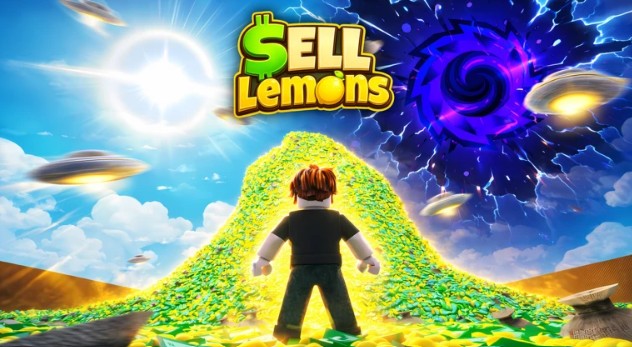
Sell Lemons Script
All Sell Lemons Scripts are released now you can unlock Auto Buy, Auto Upgrade, Auto Fruit, Auto Farm, Dupe, Collect Cash, Auto Buy Building, Auto Collect, Auto Uprade, Auto Tycoon, Inf Cash, Auto Harvest and more functions.
Download & Copy All Sell Lemons Scripts (2026)
HoshiHub
loadstring(game:HttpGet("https://raw.githubusercontent.com/Fluxyyy333/HoshiOnTop/main/loader.lua"))()Sell Lemons 🍋 Script Apel Hub GUI
loadstring(game:HttpGet("https://raw.githubusercontent.com/ApelsinkaFr/ApelHub/refs/heads/main/ApelHub"))()Axon Hub
loadstring(game:HttpGet("https://api.luarmor.net/files/v3/loaders/97c3f6db55a2cf72141537a85458e5a7.lua"))()CyraaHub
loadstring(game:HttpGet("https://raw.githubusercontent.com/LynX99-9/komtolmmek2script/refs/heads/main/CyraaHub.lua", true))()Script Sell Lemons GUI Roblox
--// Rayfield
local Rayfield = loadstring(game:HttpGet('https://sirius.menu/rayfield'))()local Window = Rayfield:CreateWindow({
    Name = "Lemon Sells",
    LoadingTitle = "Lemon Sell Auto",
    LoadingSubtitle = "By ChatGPT & Gouang",
    ConfigurationSaving = {
        Enabled = false,
    },
    KeySystem = false,
})local MainTab = Window:CreateTab("Main", 4483362458)--// Services
local Players = game:GetService("Players")
local LocalPlayer = Players.LocalPlayer--// Find Tycoon
local userTycoon = (function()
    for _, v in pairs(workspace:GetChildren()) do
        if v:IsA("Folder") and v.Name:match("Tycoon%d") then
            if v:FindFirstChild("Owner") and v.Owner.Value == LocalPlayer then
                return v
            end
        end
    end
end)()if not userTycoon then
    Rayfield:Notify({
        Title = "Error",
        Content = "Tycoon not found!",
        Duration = 5,
    })
    return
end--// Variables
local AutoBuy = false
local AutoUpgrade = false
local AutoFruit = falselocal Buying = falselocal function getButtons()
    local Buttons = {}    for _, obj in ipairs(userTycoon.Purchases:GetDescendants()) do
        if obj:IsA("Model") then            local shown = obj:GetAttribute("Shown")
            local purchased = obj:GetAttribute("Purchased")            if shown == true and purchased ~= true then                local buttonPart = obj:FindFirstChild("Button")                if buttonPart and buttonPart:IsA("BasePart") then
                    table.insert(Buttons, {
                        Name = obj.Name,
                        Button = buttonPart,
                    })
                end
            end
        end
    end    return Buttons
endlocal function buyButton(buttonData)    if Buying then
        return
    end    Buying = true    local character = LocalPlayer.Character
    if not character then
        Buying = false
        return
    end    local hrp = character:FindFirstChild("HumanoidRootPart")
    if not hrp then
        Buying = false
        return
    end    local buttonPart = buttonData.Button    pcall(function()
        firetouchinterest(hrp, buttonPart, 0)
        firetouchinterest(hrp, buttonPart, 1)
    end)    Buying = false
endtask.spawn(function()
    while true do
        task.wait(0.0000001)        if AutoBuy then            local Buttons = getButtons()            for _, button in ipairs(Buttons) do
                pcall(function()
                    buyButton(button)
                end)
            end
        end
    end
end)local function upgradeMachines()    for _, obj in ipairs(userTycoon.Purchases:GetDescendants()) do        if obj:IsA("RemoteFunction") and obj.Name == "Upgrade" then            pcall(function()                for level = 1, 100 do
                    obj:InvokeServer(level)
                end            end)
        end
    end
endtask.spawn(function()
    while true do
        task.wait(0.00001)        if AutoUpgrade then
            pcall(function()
                upgradeMachines()
            end)
        end
    end
end)local Trees = {}local function addTree(obj)
    if obj:IsA("Model") and obj.Name == "LemonTree" then        if not table.find(Trees, obj) then
            table.insert(Trees, obj)
        end
    end
endlocal function removeTree(obj)    local index = table.find(Trees, obj)    if index then
        table.remove(Trees, index)
    end
end-- initial scan
for _, v in ipairs(workspace:GetDescendants()) do
    addTree(v)
end-- realtime update
workspace.DescendantAdded:Connect(addTree)
workspace.DescendantRemoving:Connect(removeTree)local function noCollisionTree(tree)    for _, obj in ipairs(tree:GetDescendants()) do
        if obj:IsA("BasePart") then
            obj.CanCollide = false
        end
    end
endlocal function teleportToTree(tree)    local character = LocalPlayer.Character
    if not character then
        return false
    end    local hrp = character:FindFirstChild("HumanoidRootPart")
    if not hrp then
        return false
    end    local cf = tree:GetPivot()    hrp.CFrame = cf + Vector3.new(0, 5, 0)    return true
endlocal function collectFruit(tree)    noCollisionTree(tree)    local success = teleportToTree(tree)    if not success then
        return
    end    for _, obj in ipairs(tree:GetDescendants()) do        if obj:IsA("BasePart") and obj.Name == "Fruit" then            obj.CanCollide = false            local clickPart = obj:FindFirstChild("ClickPart")            if clickPart then                local detector = clickPart:FindFirstChildOfClass("ClickDetector")                if detector then                    task.wait(0.45)                    pcall(function()
                        fireclickdetector(detector)
                    end)
                end
            end
        end
    end
endtask.spawn(function()
    while true do
        task.wait(0.1)        if AutoFruit then            for _, tree in ipairs(Trees) do                if not AutoFruit then
                    break
                end                if tree and tree.Parent then                    pcall(function()
                        collectFruit(tree)
                    end)
                end
            end
        end
    end
end)MainTab:CreateToggle({
    Name = "Auto Buy",
    CurrentValue = false,
    Flag = "AutoBuy",
    Callback = function(Value)
        AutoBuy = Value        Rayfield:Notify({
            Title = "Auto Buy",
            Content = Value and "Enabled" or "Disabled",
            Duration = 3,
        })
    end,
})MainTab:CreateToggle({
    Name = "Auto Upgrade",
    CurrentValue = false,
    Flag = "AutoUpgrade",
    Callback = function(Value)
        AutoUpgrade = Value        Rayfield:Notify({
            Title = "Auto Upgrade",
            Content = Value and "Enabled" or "Disabled",
            Duration = 3,
        })
    end,
})MainTab:CreateToggle({
    Name = "Auto Fruit",
    CurrentValue = false,
    Flag = "AutoFruit",
    Callback = function(Value)
        AutoFruit = Value        Rayfield:Notify({
            Title = "Auto Fruit",
            Content = Value and "Enabled" or "Disabled",
            Duration = 3,
        })
    end,
})MainTab:CreateButton({
    Name = "Destroy GUI",
    Callback = function()
        Rayfield:Destroy()
    end,
})Rayfield:Notify({
    Title = "Loaded",
    Content = "Tycoon Autofarm Loaded Successfully",
    Duration = 5,
})
How to Use Sell Lemons Script in Roblox
Running a script usually follows a simple process.
- First of all, open Roblox.
- Join the Sell Lemons game.
- Launch a script executor tool.
- Copy the script from the official website of Sell Lemons Script.
- Paste the Sell Lemons Script into the executor.
- Click on the execute button.
Frequently Asked Questions (FAQs)
What is a Sell Lemons Script?
A Sell Lemons Script is a custom Lua script designed for the Roblox game Sell Lemons. It can automate repetitive tasks such as selling lemons, collecting resources, farming currency, and speeding up overall progression.
Is the Sell Lemons Script free to use?
Yes, many Sell Lemons scripts are available for free. However, you should only download scripts from trusted sources to reduce the risk of malware, fake downloads, or malicious code.
Do I need to complete a key system?
Some Sell Lemons scripts require users to complete a key system before gaining access, while others are completely keyless. This depends on the script developer and the version being used.
Which executor is best for running the script?
Common Roblox executors used by players include Delta, Hydrogen, and Fluxus. The best executor depends on your device, compatibility requirements, and performance preferences.
Can I use the script on mobile devices?
Yes, many Sell Lemons scripts are compatible with mobile Roblox executors. Performance and stability may vary depending on your device specifications and the executor you use.
Is it safe to use a Sell Lemons Script?
The safety of a script depends largely on where it comes from. Always use trusted sources and be aware that using third-party scripts may violate Roblox’s terms of service, potentially resulting in warnings, restrictions, or account penalties.
